Ace your live interviewwith answers in real time
Parakram AI listens to your live call, detects interviewer questions instantly, and surfaces tailored answers on a private overlay — invisible during screen share on Zoom, Google Meet, or Microsoft Teams.
Interviewer
AnswerCopilot overlay
I led triage by checking dashboards first, rolled back the risky deploy within 8 minutes, and posted a clear status update to stakeholders…
Simulated flow — your real session uses live transcription from the meeting tab.
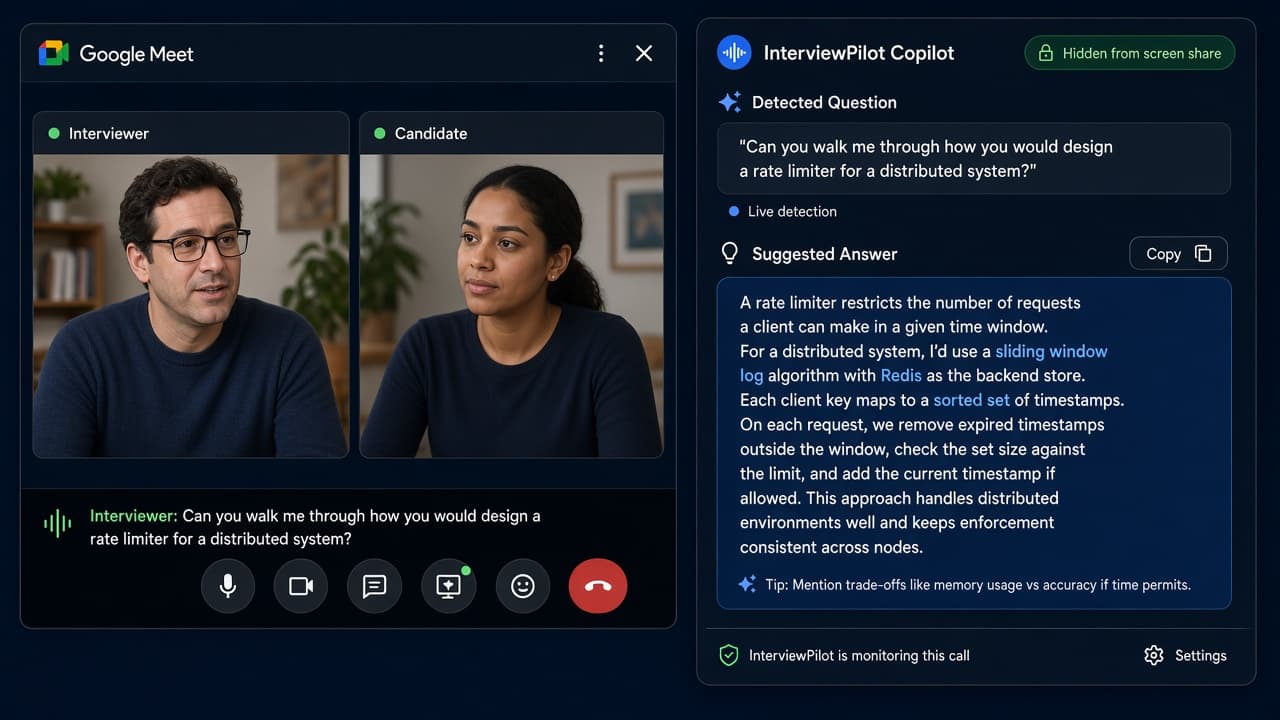
Private overlay — invisible to the interviewer during screen share
How it works
Up and running in under a minute before your interview starts.
Connect audio
Run the 60-second setup test — grant mic access and share your meeting tab audio.
Join your interview
Open Zoom, Google Meet, or Teams as usual. Parakram AI listens in the background.
Get live answers
When the interviewer asks a question, tailored answers appear on your private overlay instantly.
Everything you need for live interviews
Built for the moment when an interviewer asks a question and you need the right answer fast.
Instant auto-answers
Realtime transcription catches interviewer questions and generates tailored answers in seconds.
Meeting + mic capture
Hears both the interviewer (tab audio) and you — answers only trigger on their questions, not yours.
Invisible overlay
Private desktop overlay excluded from screen share — only you see the suggestions during the call.
Coding interview mode
Capture your screen for technical rounds. Get structured answers for algorithms, system design, and debugging.
60-second setup test
Verify your mic, speech recognition, and meeting tab audio before you join the real interview.
Desktop + web
Full copilot experience on desktop with overlay. Start sessions and manage your account from the web app.
Desktop overlay + web companion
The desktop app powers the live session with a floating overlay that stays on top of your meeting. The web app lets you manage sessions, upload your resume, and track usage from anywhere.
- Desktop app with private overlay and content protection
- Web dashboard for sessions, resume, and billing
- One-click handoff from web to desktop for live sessions
Simple, transparent pricing
Start free. Pay only for the live interview time you use.
Free
10 minutes of free live call time to try Parakram AI — unlimited Answer now during your session.
- 60-second setup test
- Live transcription
- Private desktop overlay
- Session debrief
Starter Pack
Best for your first couple of live interviews.
- 1 credit = 60 min call time
- 0.5 credit per 30-min block
- Credits never expire
- All session features
Pro Pack
Most popular for active job seekers.
- 11 total credits
- Up to 22 × 30-min sessions
- Coding mode
- Session debrief
Monthly Unlimited
Unlimited live sessions, cancel anytime.
- No credit limits
- Unlimited Answer now during your session
- All features included
- Best for heavy use
Frequently asked questions
Everything you need to know before your first session.
Can the interviewer see the overlay?+
No. The desktop overlay uses content protection and is excluded from screen sharing. Only you can see the suggestions on your screen.
Which meeting platforms are supported?+
Parakram AI works with Zoom, Google Meet, and Microsoft Teams. You share your meeting tab audio so it can hear the interviewer.
How fast are the answers?+
With realtime transcription enabled, questions are detected within seconds and answers typically appear in 1–3 seconds depending on complexity.
Do I need the desktop app?+
The private overlay requires the desktop app for the best experience. You can manage sessions, upload your resume, and configure settings from the web app.
How do credits work?+
Each credit gives you 30 minutes of live session time. Credits are consumed only during active sessions — you are not charged when idle.
Ready for your next interview?
Set up in 60 seconds. Join your call with confidence knowing you have real-time support when you need it.